


2.5.6 Deleting Articles
Note: You must be a system user to delete articles!
Articles are deleted as follows:
- Access the newsgroup as described on
page
125.
- Click on the Delete button in the Forum dialog box. A dialog
box showing all articles in the newsgroup with a checkbox next to each one
appears (see Figure 89).
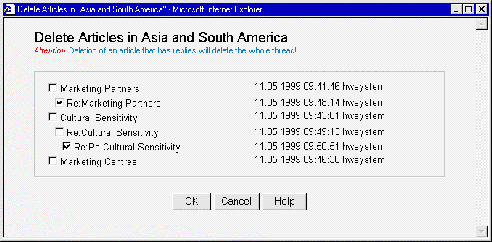 Figure 89: The Delete entries dialog box
- Use the checkboxes to select the article or articles you want to delete.
Note that if you delete an article that has replies, the whole thread will be
deleted.
- Click on the OK button. The article or articles will be deleted.
