


3.4.1 How to Use Hyperwave Virtual Folders
After successful installation, Hyperwave Virtual Folders inserts itself into
Microsoft Explorer's Desktop. When you first open Hyperwave Virtual Folders,
the only option you are presented with is to add a new server entry for further
exploring.
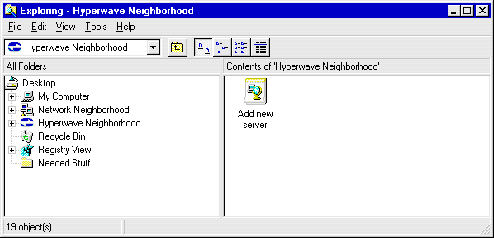 Figure 108: Initial View in Virtual Folders
