


3.2.3 Uploading Documents to Hyperwave Information Server
To save a document to Hyperwave Information Server:
- In Word, click on the Classic Save As icon in the standard toolbar
(
 ),
or choose File -> Classic Save As.
),
or choose File -> Classic Save As.
- In the dialog box that appears (see Figure 103), navigate to the Hyperwave
Neighborhood and collection you wish to save the document to.
- Enter a new File name or double click on an existing document to
save under that name (the original document will be overwritten).
- Click on the Save button.
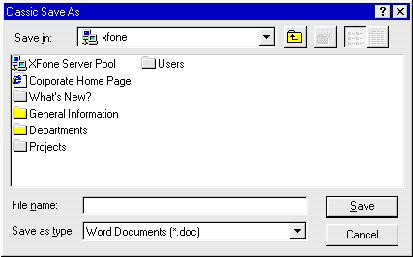 Figure 103: Classic Save As dialog box
